
Partnership
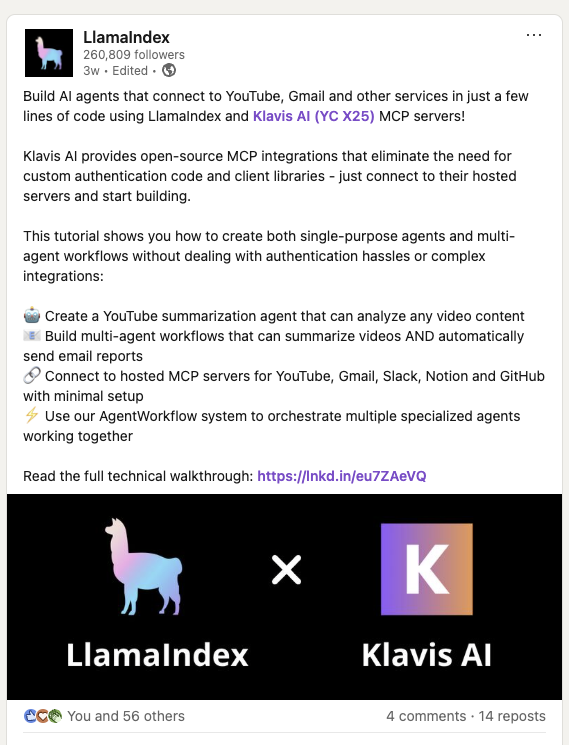
LlamaIndex has officially showcased their integration with Klavis AI in this LinkedIn post, demonstrating how to build AI agents that connect to MCP Servers in just a few lines of code.
Prerequisites
Before we begin, you’ll need:
Installation
First, install the required packages:
pip install llama-index llama-index-tools-mcp klavis
Setup Environment Variables
import os
# Set environment variables
os.environ["OPENAI_API_KEY"] = "your-openai-api-key-here" # Replace with your actual OpenAI API key
os.environ["KLAVIS_API_KEY"] = "your-klavis-api-key-here" # Replace with your actual Klavis API key
Basic Setup
from klavis import Klavis
from klavis.types import McpServerName
from llama_index.llms.openai import OpenAI
from llama_index.tools.mcp import (
BasicMCPClient,
get_tools_from_mcp_url,
aget_tools_from_mcp_url
)
# Initialize clients
klavis_client = Klavis(api_key=os.getenv("KLAVIS_API_KEY"))
llm = OpenAI(model="gpt-4o-mini", api_key=os.getenv("OPENAI_API_KEY"))
Step 1 - Create Strata MCP Server with Gmail and Slack
from klavis import Klavis
from klavis.types import McpServerName, ToolFormat
import webbrowser
klavis_client = Klavis(api_key=os.getenv("KLAVIS_API_KEY"))
response = klavis_client.mcp_server.create_strata_server(
servers=[McpServerName.GMAIL, McpServerName.SLACK],
user_id="1234"
)
# Handle OAuth authorization for each services
if response.oauth_urls:
for server_name, oauth_url in response.oauth_urls.items():
webbrowser.open(oauth_url)
print(f"Or please open this URL to complete {server_name} OAuth authorization: {oauth_url}")
OAuth Authorization Required: The code above will open browser windows for each service. Click through the OAuth flow to authorize access to your accounts.
Step 2 - Create method to use MCP Server with LlamaIndex
This method handles multiple rounds of tool calls until a final response is ready, allowing the AI to chain tool executions for complex tasks.
import json
from llama_index.core.agent.workflow import FunctionAgent, AgentWorkflow
async def llamaindex_with_mcp_server(mcp_server_url: str, user_query: str):
llm = OpenAI(model="gpt-4o-mini", api_key=os.getenv("OPENAI_API_KEY"))
all_tools = await aget_tools_from_mcp_url(
mcp_server_url,
client=BasicMCPClient(mcp_server_url)
)
communication_agent = FunctionAgent(
name="communication_agent",
description="Agent that can read emails from Gmail and send messages to Slack",
tools=all_tools,
llm=llm,
system_prompt="You are a helpful assistant. Use the available tools to answer the user's question.",
max_iterations=10
)
workflow = AgentWorkflow(
agents=[communication_agent],
root_agent="communication_agent"
)
resp = await workflow.run(user_msg=user_query)
return resp.response.content
Step 3 - Run!
result = await llamaindex_with_mcp_server(
mcp_server_url=response.strata_server_url,
user_query="Check my latest 5 emails and summarize them in a Slack message to #general"
)
print(f"\nFinal Response: {result}")
Perfect! You’ve integrated LLamaIndex with Strata MCP servers.
Next Steps
Useful Resources
Happy building with LlamaIndex and Klavis! 🚀