
Quick Setup Guide
1
Authorize MCP Servers to Use with Strata
Navigate to the Klavis home page and click “MCP Server” in the left sidebar. You will see a list of MCP servers available in Klavis.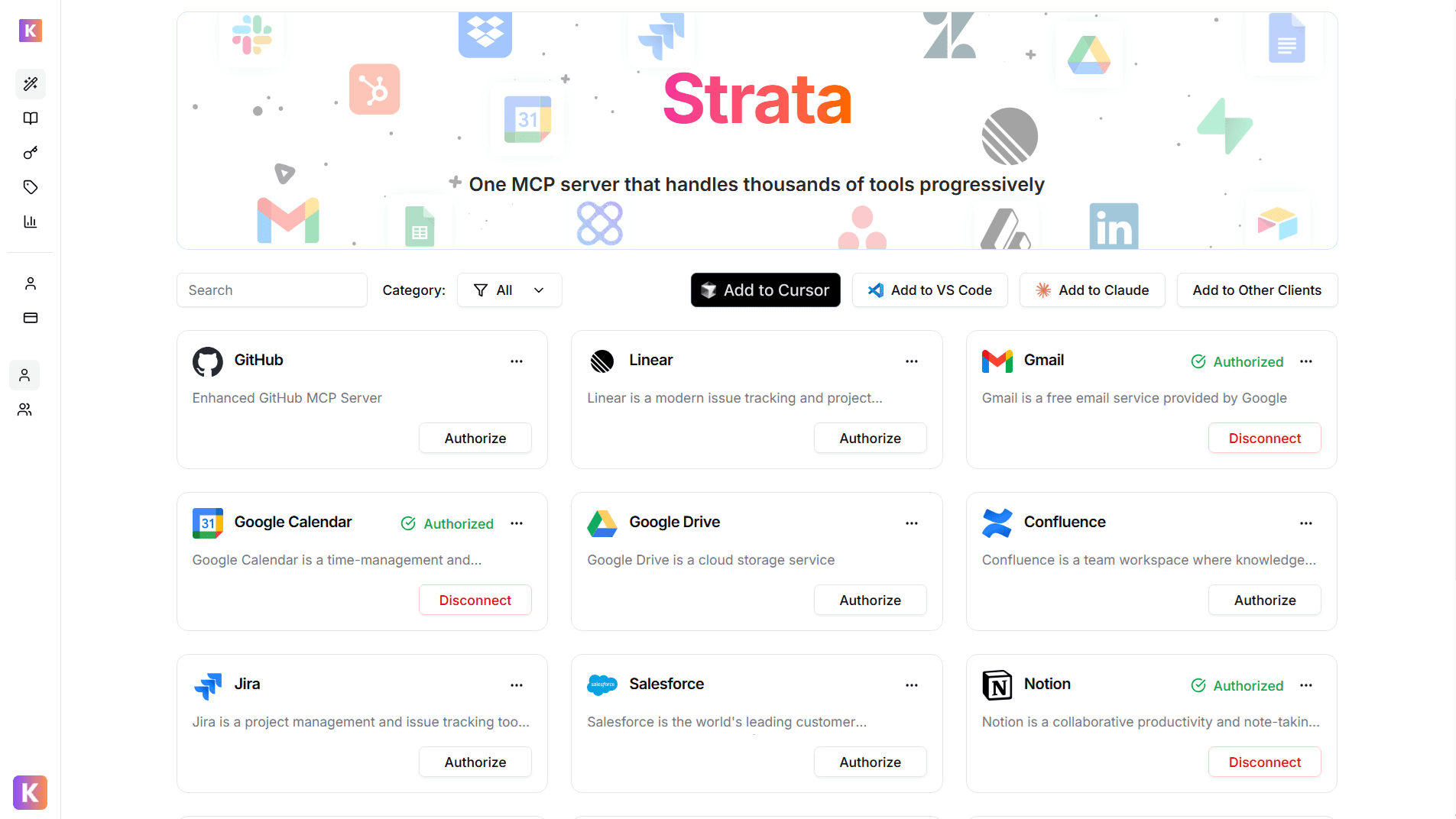
2
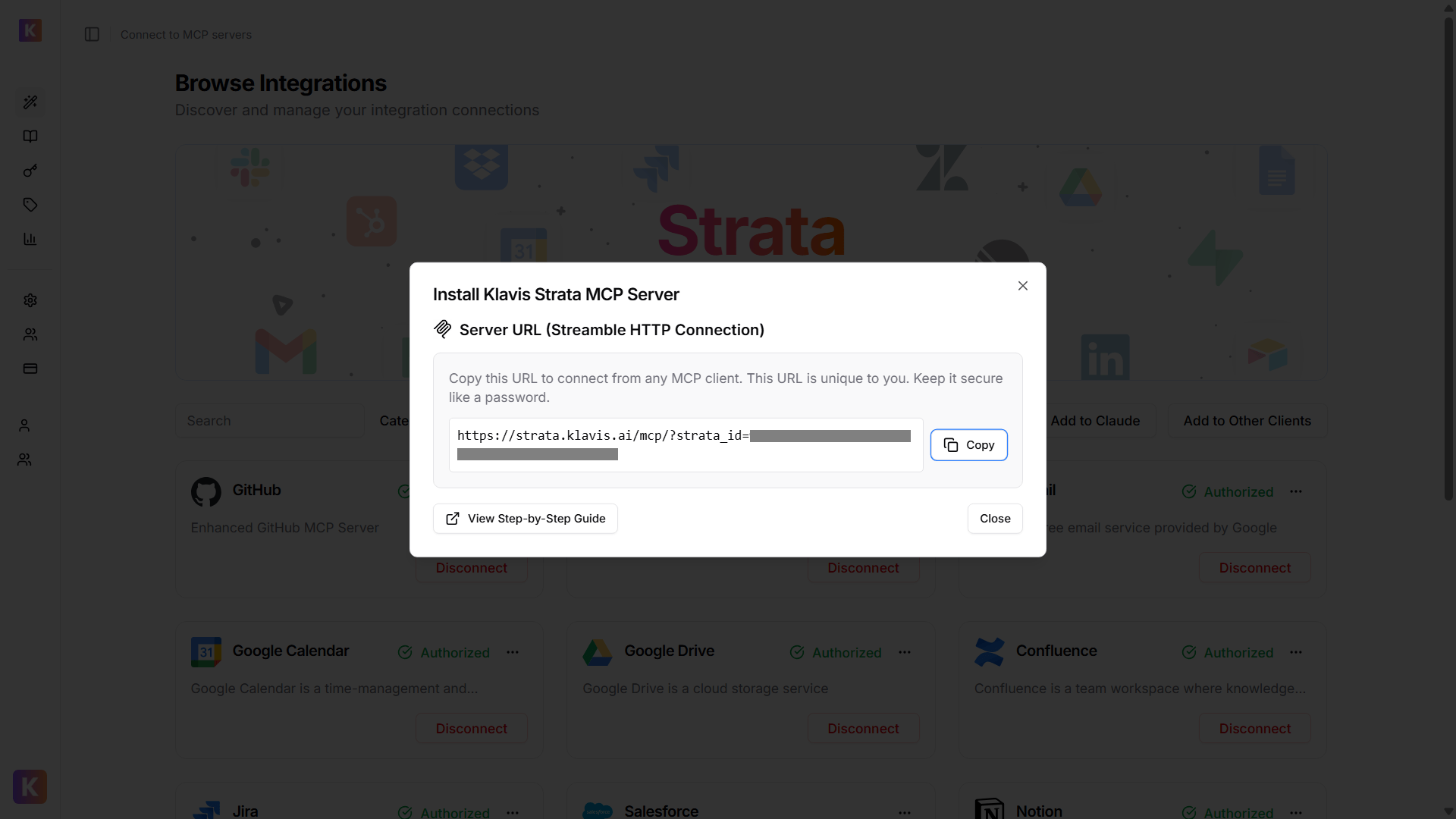
Get Strata Server URL
From Klavis Dashboard, click Add to Other Clients button to get your Strata Server URL.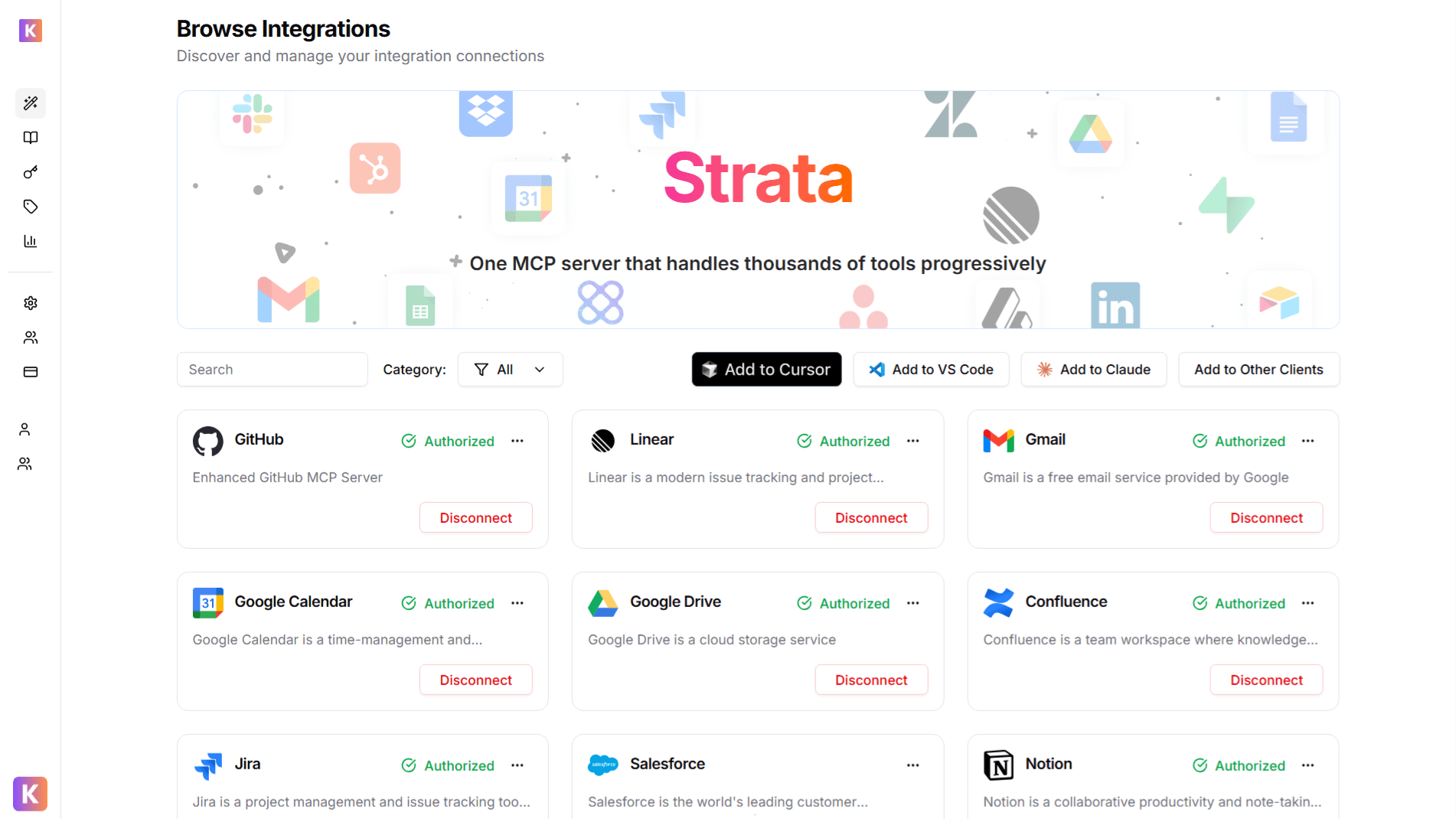
🔐 OAuth Services (Most Common)
🔐 OAuth Services (Most Common)
- Automatically redirected to OAuth authorization
- Sign in to your account (GitHub, Google, Slack, etc.)
- Grant necessary permissions
- Redirected back to Klavis automatically
🔑 API Key Services
🔑 API Key Services
- Prompted to enter an API key
- Follow service-specific instructions to generate key
- Paste key in the provided field
- Click “Save” to continue
3
Enable Developer Mode
To connect Klavis MCP Server with Connectors, you need to ensure Developer Mode is enabled.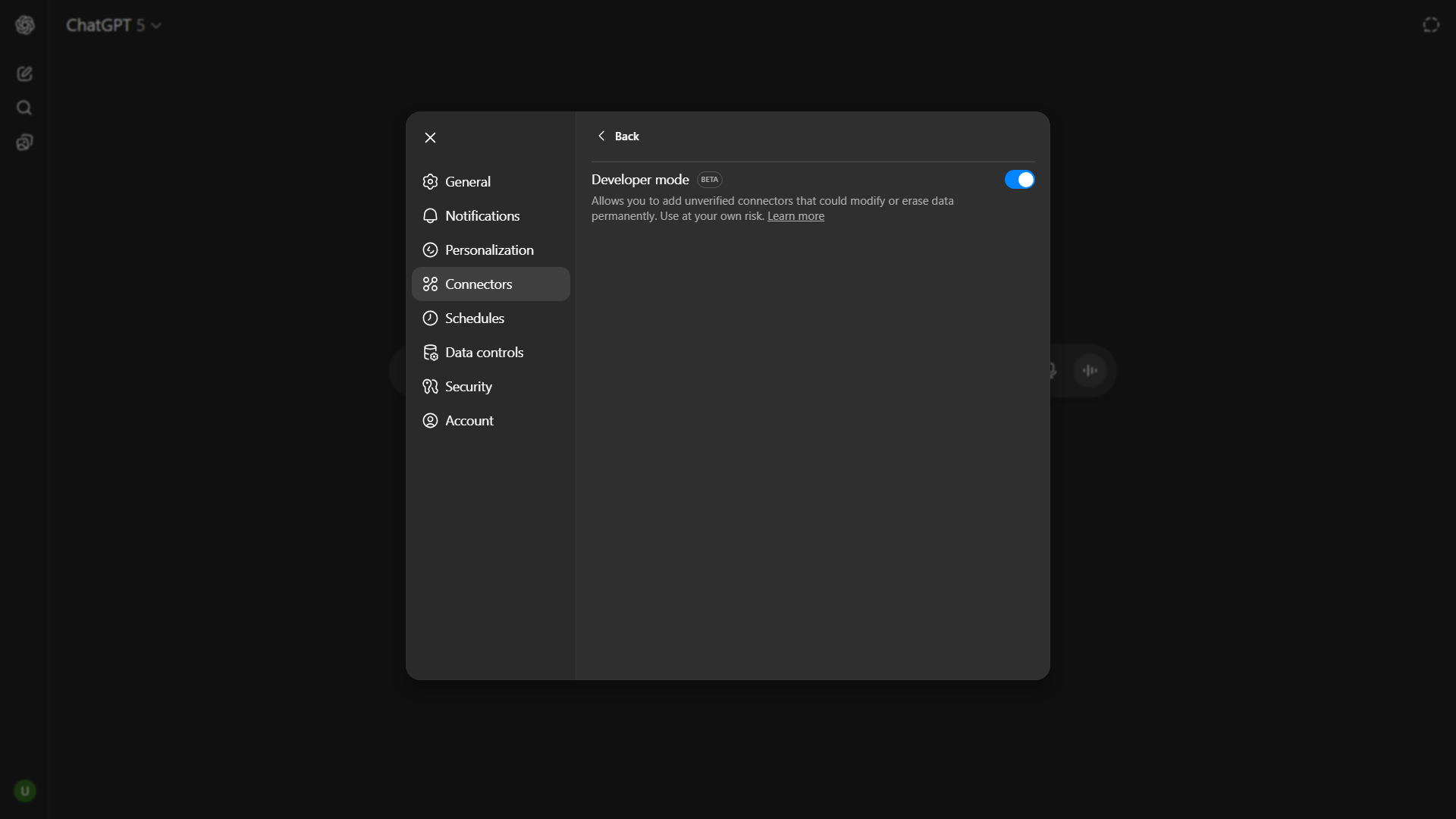
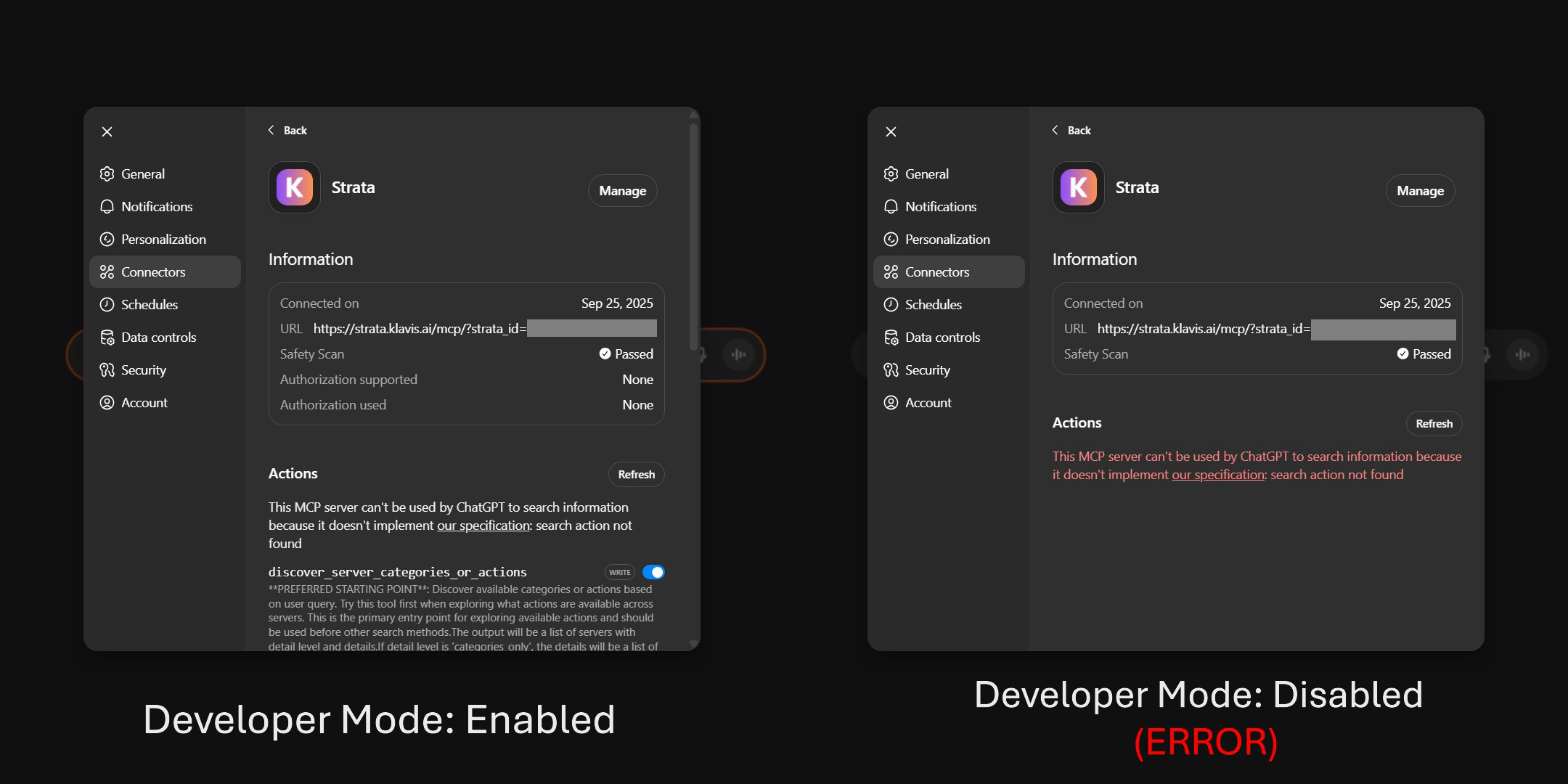
- Settings -> Apps & Connectors -> Advanced Settings -> Developer Mode (enable it!)
4
Add MCP Connector
Open a new chat in ChatGPT: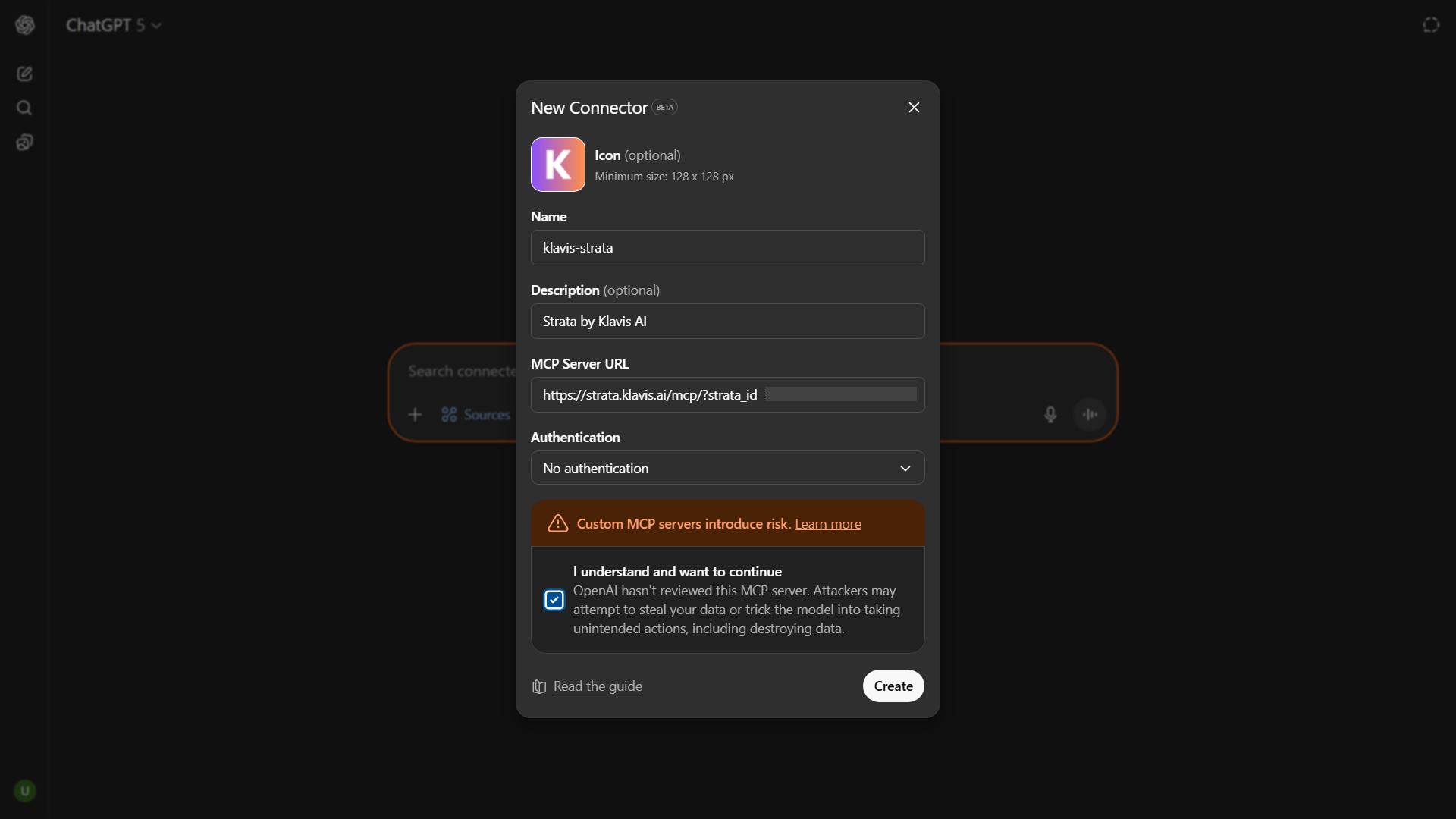
- Click on ’+’ icon or type
/ - Select Add Sources > Connect more
- Icon (Optional): Add icon for your MCP (128 * 128 recommended)
- Name:
klavis-strata - Description (Optional): Short description of your MCP
- MCP Server URL: Paste Strata Server URL
- Authentication: select No Authentication
Klavis AI authenticates your Strata server while generating server url.
5
Verify Tools Loading
To verify if Strata is configured properly in ChatGPT chat, click ”+” -> More and you will see active servers.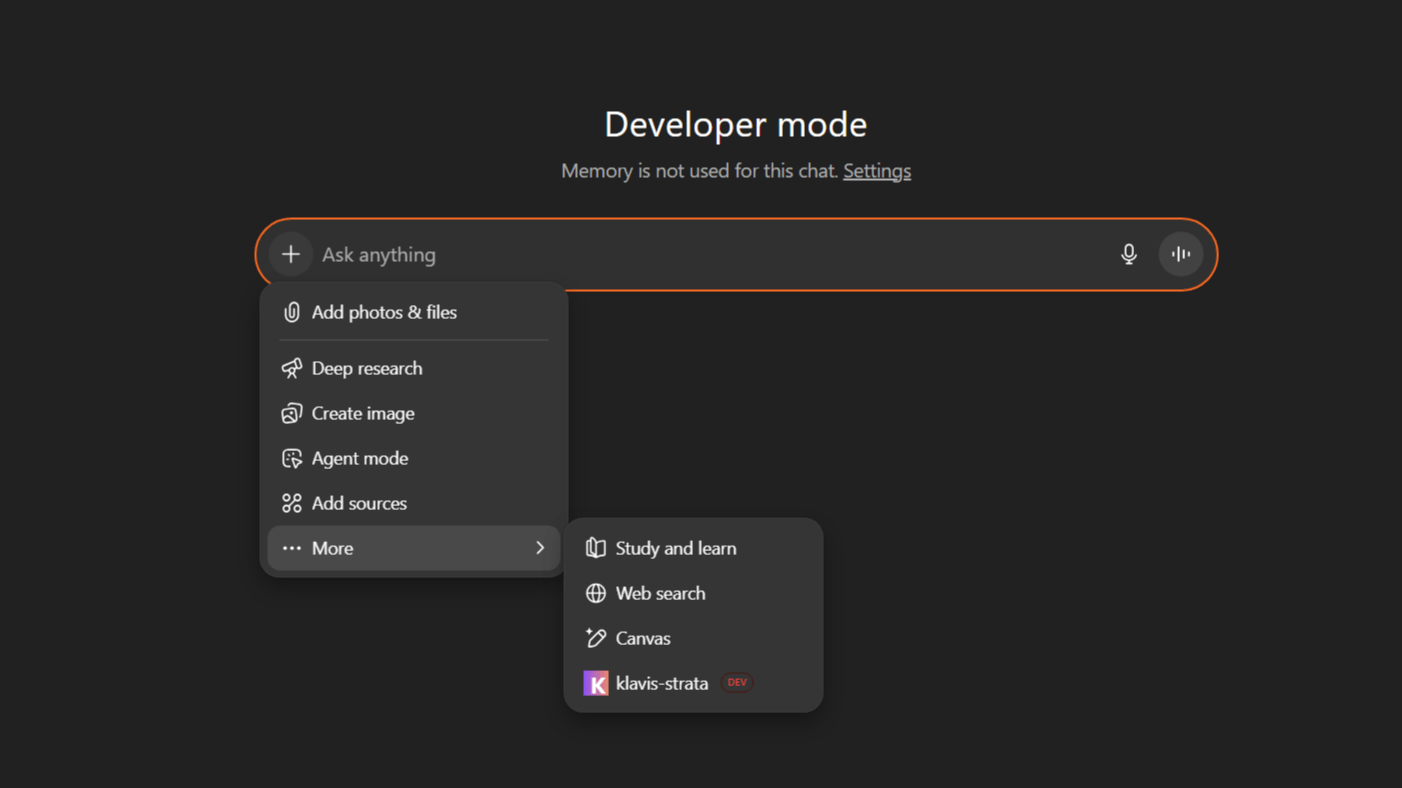
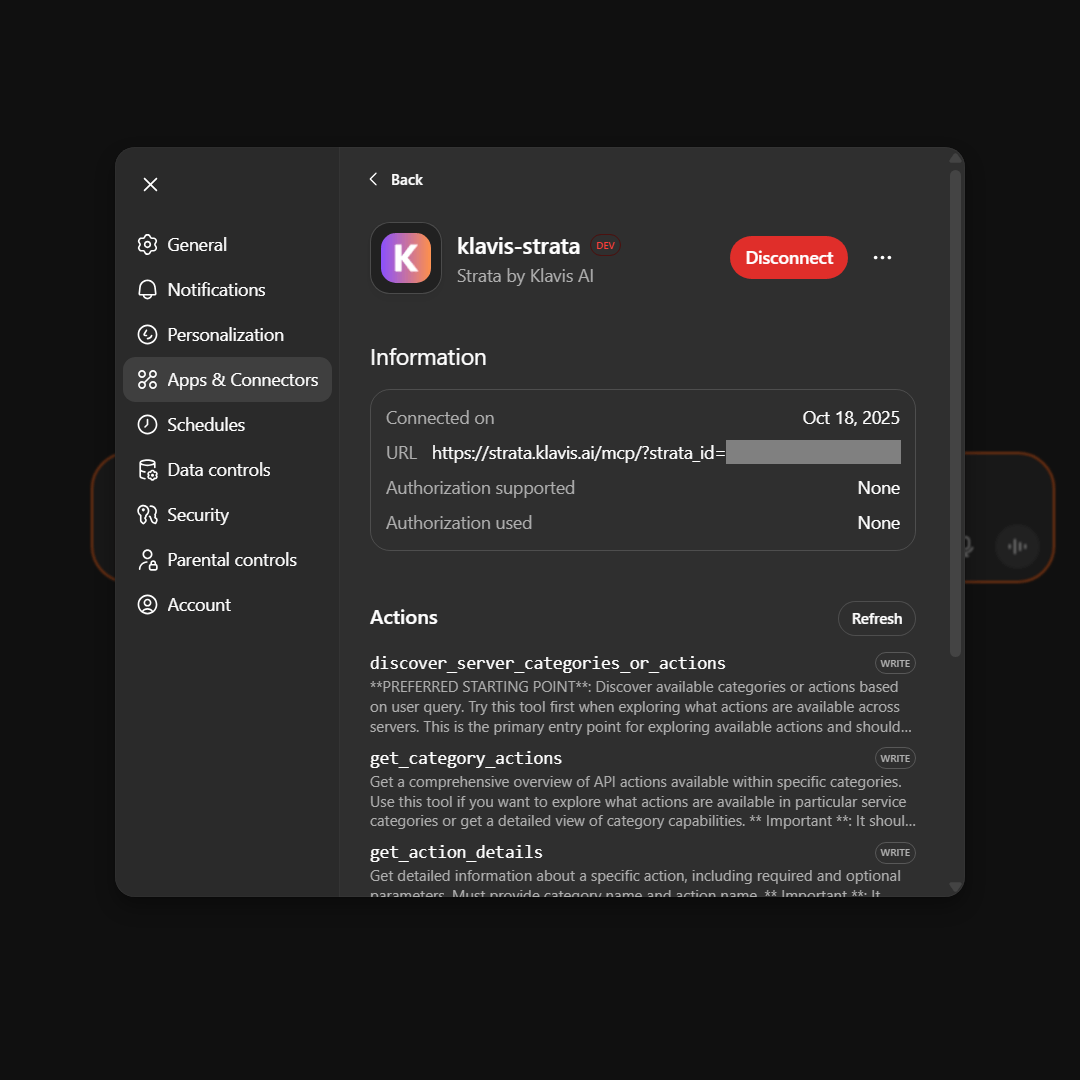
- Go to Setting > Apps & Connectors
- Select your MCP > Scroll to Actions tab
6
Start Using in ChatGPT Chat
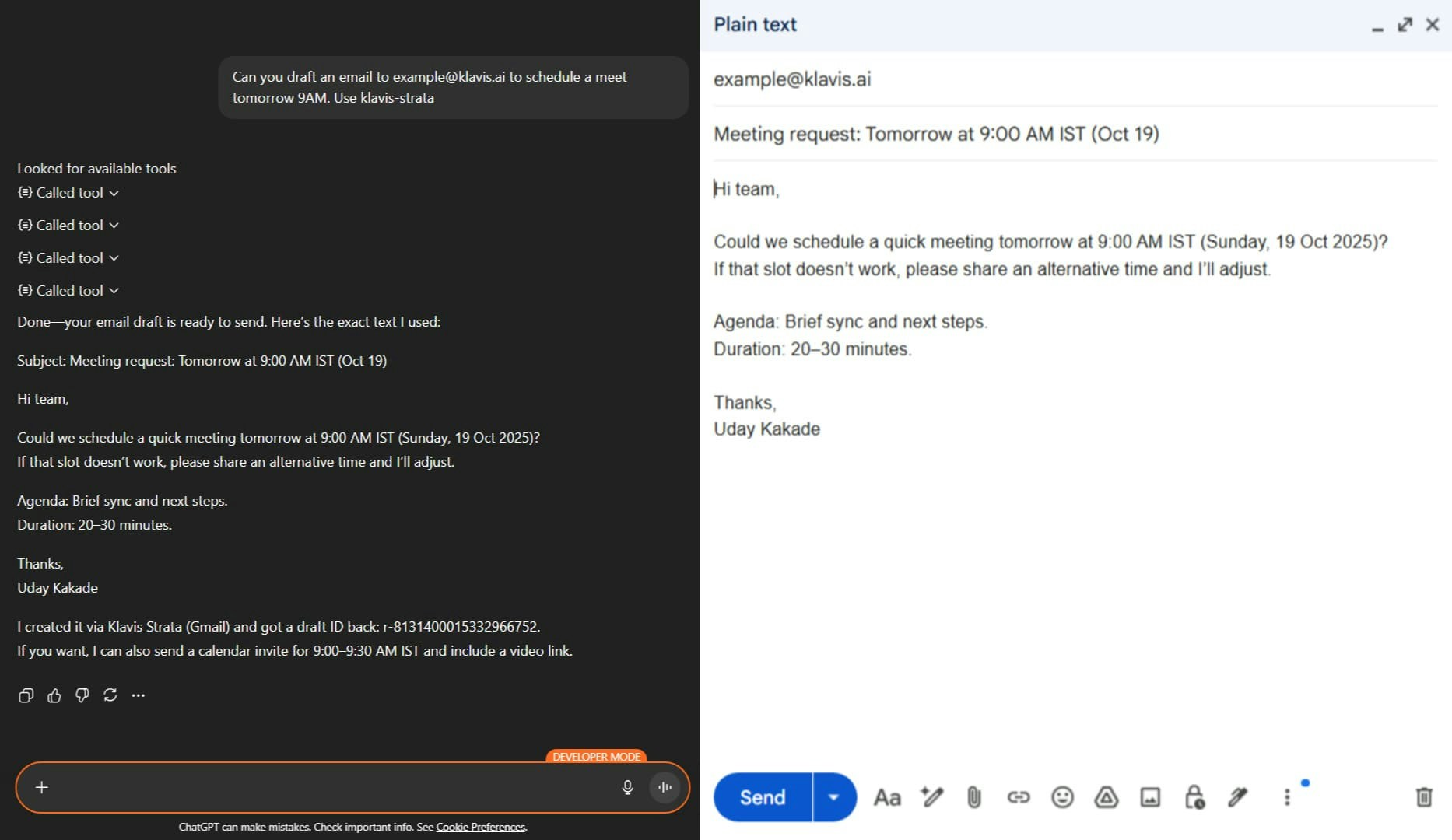
🎯 ChatGPT Chat automatically detects when to use Strata based on context - no need to specify explicitly!
7
Happy Building! 🎉
You’re all set! Your Strata MCP server is now integrated with ChatGPT
Troubleshooting
🔧 Tools Not Appearing
🔧 Tools Not Appearing
- Double-check your Server URL for typos
- Ensure stable internet connection
- Verify authentication in Klavis dashboard
- Try completely restarting ChatGPT
🔐 Authentication Issues
🔐 Authentication Issues
- Re-authenticate in the Klavis dashboard
- Check if your OAuth tokens have expired
- Verify API key permissions (for API key services)
- Ensure you’ve granted all necessary permissions
⚡ Performance Issues
⚡ Performance Issues
- Limit the number of active MCP servers
- Check your internet connection speed
- Restart ChatGPT periodically
- Contact support if issues persist
Need Help?
Community
Join our Discord for community support and discussions
Support
Contact our technical support team for assistance